Let's review the best web development courses. After all, there’s never been a better time than now. The market for web developers is expected to grow by 23% in the next decade alone.
Maybe you’ve heard about web development but you’re not quite sure what it means. Or maybe you have an idea, but you’re not sure where to start. Either way, we’ve got you covered, as we’ll jump into a quick intro about what it is, followed by why it’s a great idea to take a web development course.
Already know this? No problem! Just jump right into our list of the 16 best web development courses for beginners in 2024.
Featured Web Development Courses [Editor’s Picks]
- [Udemy] The Complete 2024 Web Development Bootcamp
- [Coursera] HTML, CSS, and JavaScript for Web Developers
- [TripleTen] Software Engineering Bootcamp
- [Codecademy] Web Development Skills Path
CUSTOM CODE - esyoh
16 Best Web Development Courses for Beginners
Ready for our evaluations? Here are our top recommendations for the best web development courses.
The list includes several providers, and we noticed common themes from some of those who appear more than once on the list.
1. [Udemy] The Complete 2024 Web Development Bootcamp
Why we chose this course
 Dr. Angela Yu’s courses are among the best Udemy courses for web development. This one will take you from a complete novice to a full-stack web developer. You’ll learn about Web2 and Web3 development, the Unix command line, EJS templates, how to deploy your apps with MongoDB Atlas, how to mint NFTs, and more.
If you prefer project-based learning, this course will be ideal for you. By the end of the course, you will build 16 web development projects., including a blog website and a RESTful API, and you’ll even create your own Crypto token.
Pros
- Learn Web2 and Web3 development
- Build 16 portfolio-worthy projects
- Learn front-end and back-end development
Cons
- Uses React version 16. Yet to update to the latest version (18.2)
|
Key Information |
|
|
Course Instructor: Dr. Angela Yu |
Level: Beginner |
|
Duration: 65 hours |
Free or Paid: Paid |
|
Certificate: Yes |
Enrolled Students: +900K |
2. [Coursera] Introduction to Web Development
Why we chose this course
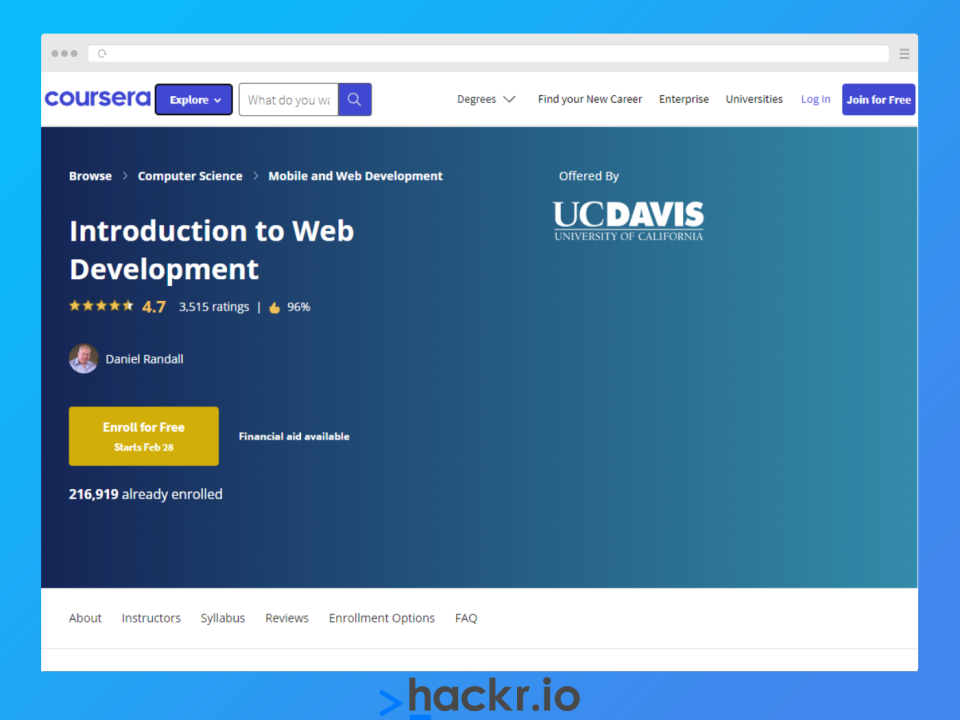 This is one of the best web developer courses for complete beginners, as it divides the content into 6 modules that blend video lectures, text content, and quizzes to cement your learning.
You’ll start by learning how to structure a website and how to host it. You’ll then progress to learn HTML, CSS, and JavaScript, before combining these three technologies to create web applications. You’ll even learn basic form validation and JavaScript testing.
Pros
- Learn HTML, CSS, and JavaScript
- Quizzes after each module
- Includes both written and video content
Cons
- Content may be too basic for intermediate learners
|
Key Information |
|
|
Course Instructor: Daniel Randall |
Level: Beginner |
|
Duration: 22 hours |
Free or Paid: Paid |
|
Certificate: Yes |
Enrolled Students: +200K |
3. [TripleTen] Software Engineering Bootcamp
Why we chose this course
 TripleTen's Software Engineering Program is a standout choice for aspiring web developers in 2024, catering to complete beginners over a 10-month part-time journey.
I really like that the program dives deep into both front-end and back-end development, employing JavaScript, React, Node.js, and more, ensuring a comprehensive web development education.
You will also embark on a project-driven approach with multiple sprints mimicking real-world scenarios, culminating in a significant final project that showcases your full-stack capabilities.
What sets this bootcamp apart is its robust career preparation module, including career mentoring, a Career Prep Course, Acceleration Externships, and Post-Offer Career Support, designed to seamlessly transition students into tech careers.
You also get the added benefit of TripleTen's money-back guarantee, where they'll refund you the course cost if you can't land a job six months after graduating.
But given their impressive 86% employment rates, with students landing roles with major tech companies like Tesla, Google, and Spotify, this program really sets itself apart if you're really dedicated to breaking into the world of web development from a standing start.
Pros
- Covers both front-end and back-end development
- Project-based learning for real-world experience
- Extensive career support and mentoring
Cons
- None
|
Key Information |
|
|
Course Instructor: Self-taught bootcamp |
Level: Beginner |
|
Duration: 10 months |
Free or Paid: Paid |
|
Certificate: Yes |
Enrolled Students: +1K Graduates |
4. [Coursera] HTML, CSS, and JavaScript for Web Developers
Why we chose this course

As the name suggests, this course will get you started on web development fundamentals, like HTML, CSS, and JavaScript. You will also learn how to handle AJAX requests, process JSON data, and use the Bootstrap framework to build web applications faster.
Putting it all together, you will apply everything you’ve learned to build a dynamic restaurant site as a capstone project for your portfolio. This will be a good choice for those looking for an introductory course to web development.
Pros
- Capstone project for your portfolio
- Includes 14 practice quiz sections
- Learn the history of the web
Cons
- No lessons on JavaScript frameworks/libraries
|
Key Information |
|
|
Course Instructor: Yaakov Chaikin |
Level: Beginner |
|
Duration: 40 hours |
Free or Paid: Paid |
|
Certificate: Yes |
Enrolled Students: +850K |
5. [Udemy] The Web Developer Bootcamp 2024
Why we chose this course
 As one of the top programming courses on Udemy, you’ll learn HTML, CSS, JavaScript, Node, Express, MongoDB, and more. You will also learn how to create apps with CRUD functionalities, and advanced concepts like routing with Express, implementing user authentication, mongoose for database interactions, error handling, and more.
This course is ideal if you’re interested in front-end and back-end development. It also integrates project-based learning, so you’ll apply your new skills to build a JavaScript browser game, a landing page, an animated to-do list, and more.
Pros
- Highest rated on Udemy & lifetime access
- Learn full-stack web development
- Create your own Node modules
Cons
- No lessons on frontend frameworks
- Course is lengthy (60+ hours)
|
Key Information |
|
|
Course Instructor: Colt Steele |
Level: Beginner |
|
Duration: 63 hours |
Free or Paid: Paid |
|
Certificate: Yes |
Enrolled Students: +850K |
6. [Scrimba] Frontend Developer Career Path
Why we chose this course
 This is one of the best courses for web development for aspiring front-end developers. By taking Scrimba's course you will learn about HTML, CSS, and advanced topics like async JavaScript, React context, hooks, and routing. There are also sections on UI design and how to work with APIs.
As a professional developer, you’ll be engaged in many code review sessions, so the code reviews module in this web development training will be highly beneficial. You’ll also earn a Scrimba Frontend Developer Certificate upon completion, and there’s the option of a scholarship if you need it.
Pros
- Ideal for aspiring frontend developers
- Active Discord community
- Includes a section on how to get hired
Cons
- No modules on backend development
|
Key Information |
|
|
Course Instructor: Scrimba Instructors |
Level: Beginner |
|
Duration: 70 hours |
Free or Paid: Paid |
|
Certificate: Yes |
Enrolled Students: 25K |
7. [Codecademy] Web Development Skills Path
Why we chose this course
 In this course, you will learn how to build web pages with HTML, style them with CSS, and make them interactive with JavaScript.
You will also learn how to use the React framework for your front-end applications and Node plus Express for back-end applications. There are also sections on Git and GitHub, SQL basics and test-driven development (TDD).
This Codecademy course aims to get you job-ready by building portfolio-worthy projects. The projects include a search application using the Yelp API, and a website for a local coffee shop. You can showcase these to your friends and recruiters too.
Pros
- Learn front-end and back-end frameworks
- Learn Git and GitHub
- Master the basics of TDD
Cons
- Quizzes only available to PRO members
|
Key Information |
|
|
Course Instructor: Codecademy Instructors |
Level: Beginner |
|
Duration: 30 weeks |
Free or Paid: Paid |
|
Certificate: Yes |
Enrolled Students: N/A |
8. [FreeCodeCamp] Front End Web Development Bootcamp
Why we chose this course
 If you’re looking for completely free web development courses, this is a great choice! It’s designed to equip you with the essential skills you need to become a front end developer. The JavaScript section provides in-depth lessons on callback functions, regular expressions, error types, the Document Object Model(DOM), and more.
You will also learn responsive web design with HTML and CSS, with topics like the CSS Box Model and Flexbox. In the latter part of the course, you will use the knowledge you’ve gained to build a Testimonials page.
Pros
- Totally free
- Learn HTMl, CSS, and JavaScript
- Covers JavaScript best practices
Cons
- No lessons on backend development
|
Key Information |
|
|
Course Instructor: Zach Gollwitzer |
Level: Beginner |
|
Duration: 21 hours |
Free or Paid: Free |
|
Certificate: No |
Views: 1M+ |
9. [LinkedIn Learning] Become a Full-Stack Web Developer
Why we chose this course
 This is a comprehensive web developer program that covers various web development technologies. You will start with web development classes on HTML and CSS including detailed lessons on CSS Grid and Flexbox. There are also modules on JavaScript, search techniques, and version control with Git.
You will also learn the React Library for front end from basics to advanced topics like routing, testing and deployment. And for the backend, you will learn Node.js as well as both SQL and NoSQL.
A unique feature of this course is the DevOps module, which covers topics like infrastructure automation, continuous delivery, reliability engineering, and more.
Pros
- Comprehensive course materials
- Quizzes and projects after each module
- Learn DevOps Foundation
Cons
- REST APIs module was last updated in 2018
|
Key Information |
|
|
Course Instructor: LinkedIn Learning |
Level: Beginner |
|
Duration: 29 hours |
Free or Paid: Paid |
|
Certificate: Yes |
Enrolled Students: N/A |
10. [edureka!] Web Development Certification Training Course
Why we chose this course
 In this interactive course, you will learn the basics of web development. Not only that, but you learn how to use Bootstrap, jQuery, and Google APIs, before covering how to deploy a website on Amazon S3. Other topics covered in this course are CSS animations, JavaScript DOM manipulation, event handling, and making AJAX calls.
And to show prospective employers what you’ve learned, there are a range of projects to build in this course, including a URL shortener, Canvas Clock, an E-Commerce website menu, a potluck app, and more.
Pros
- Live interactive online classes
- 24/7 access to academic counselors
- JavaScript module is free
Cons
- Live class schedule may not be flexible for some
|
Key Information |
|
|
Course Instructor: Edureka Instructors |
Level: Beginner |
|
Duration: 5 Weeks |
Free or Paid: Paid |
|
Certificate: Yes |
Enrolled Students: +10K |
11. [Simplilearn] Introduction to Front-End Development
Why we chose this course
 This free course begins with lessons on Git and GitHub where you will learn version control and how to solve Git conflicts. You’ll then progress to HTML, CSS effects and animations, and JavaScript. The course also includes sections on how to use the React library and Angular framework.
This self-paced course is great introductory material for those who are interested in getting started with web development.
Pros
- Learn modern JavaScript (ES2022) syntax
- Learn React and Angular basics
Cons
- Content may be basic for advanced learners
|
Key Information |
|
|
Course Instructor: Simplilearn Instructors |
Level: Beginner |
|
Duration: 12 hours |
Free or Paid: Free |
|
Certificate: Yes |
Enrolled Students: +30K |
12. [Google Digital Garage] Web Developer
Why we chose this course
 This web developer training from Google is designed to help you get hired. You will create animations using CSS, learn responsive design and web accessibility, and implement SEO best practices. You will also learn to store data securely using OWASP (Open Worldwide Application Security Project) standards.
Each of the seven modules has a section for you to apply your new knowledge by building a project. Some examples include translating a mockup design into an actual website, mobile website animations, optimizing an existing website, building an e-commerce website, and creating a secure API for a Review app.
This is a very comprehensive beginner's course for web developers, as it also covers other technologies like the MERN (MongoDB, Express, React, Node) stack, Vue.js, Git, and GitHub.
Pros
- Comprehensive course material
- Weekly one-on-one mentoring & career coaching
- Achieve an Associate’s level diploma
- Course completion certificate from Google
Cons
- Requires an average of six months of full-time study
|
Key Information |
|
|
Course Instructor: OpenClassrooms Instructors |
Level: Beginner |
|
Duration: 400 hours |
Free or Paid: Paid |
|
Certificate: Yes |
Enrolled Students: N/A |
13. [Codedamn] Learn Full Stack Web Development From Scratch
Why we chose this course
 Codedamn is another web developer free course that goes in-depth on the three main web dev technologies, HTML, CSS, and JavaScript. It also includes sections for backend development using Node.js and Express.js.
Some key topics covered include the basics of BASH in the Linux CLI, CI/CD, GitHub Actions, caching with Redis, React Query for network requests, and more. You will also look at advanced Next.js concepts like environment variables and server-side props.
Pros
- Completely free and comprehensive course material
- Also provides in-depth lessons on version control
- Includes many exercises to test your knowledge
Cons
- YouTube ads may be distracting
|
Key Information |
|
|
Course Instructors: Codedamn |
Level: Beginner |
|
Duration: 22 hours |
Free or Paid: Free |
|
Certificate: No |
Views: 1.2M |
14. [Educative] Web Development: A Primer
Why we chose this course
 If you’re new to web development and you want to learn some background theory, Educative's primer course will be a good choice for you. The course teaches both frontend and backend development as well as version control. It also covers microservice architecture and Test Driven Development (TDD).
This online course also covers what the web is and how it works, and databases in web development via a series of step-by-step tutorials. These tutorials cover topics like SQL and NoSQL databases, Web Caching, and more.
Pros
- 100% text-based course
- Quizzes at the end of each section
- Learn principles of software engineering
Cons
- Text content may not suit visual learners
|
Key Information |
|
|
Course Instructor: Educative.io |
Level: Beginner |
|
Duration: 5 hours |
Free or Paid: Paid |
|
Certificate: Yes |
Enrolled Students: N/A |
15. [MIT xPRO] Web Development with JavaScript
Why we chose this course:
 The provider of this web developer program is Harvard University (yes, that’s right!), and it’s specifically focused on JavaScript development. At xPRO, you will learn various JavaScript topics including array manipulation and scope, callback functions, and asynchronous coding. You will also learn how to test your code along with the fundamentals of using GitHub.
Other topics covered in this course include computational thinking, the mental model of computing operations, the basics of cybersecurity, and recursion.
Pros
- Course completion certificate from MIT xPRO
- Learn basics of cybersecurity
Cons
- Requires basic JavaScript knowledge
|
Key Information |
|
|
Course Instructor: John R. Williams |
Level: Beginner |
|
Duration: 200 hours |
Free or Paid: Paid |
|
Certificate: Yes |
Enrolled Students: N/A |
16. [Udacity] Full Stack Web Developer
Why we chose this course
 This project-based training for web developers from Udacity will teach you to build and deploy full-stack, database-backed APIs and web applications. Some of the topics you will learn in this course include identity access management, server deployment, containerization, data modeling, and API development.
This program uses 4 sub-courses, each with its own project, like a venue booking database or a trivia API. There’s also a capstone project where you will build a full-stack web application that combines all of your new skills.
This course is best for developers with some background skills in Python, HTML, CSS, and Git.
Pros
- Project-based learning for full-stack web development
- Learn about containerization via Docker
- Access to technical mentor support
Cons
- Requires experience with Python, HTML/CSS, and Git
|
Key Information |
|
|
Course Instructors: Amy Hua, Caryn McCarthy, Gabriel Ruttner, Kennedy Behrman |
Level: Intermediate |
|
Duration: 160 hours |
Free or Paid: Paid |
|
Certificate: Yes |
Enrolled Students: N/A |
Are your HTML skills a little rusty? Check out the best HTML courses. The community at Hackr also regularly submits resources for other technical skills. We found Java courses and other programming tutorials, too.
What Is Web Development?
Web development involves creating, building, and maintaining websites. A lot happens behind the scenes to make it possible for you to view web pages in your browser.
Web developers mainly work on three components.
- Client-side or Front-end: The part of the website the user sees and interacts with. The three standard front-end development technologies are HTML, CSS, and JavaScript. We evaluated the best JavaScript courses too.
- Server-side or Back-end: Relates to the server where the web application or website runs. Some common languages used for backend development are PHP, Java, Ruby, and Python. Looking to learn? We compiled the best Python courses online.
- Database: This allows users to create and store account details, preferences, and login information. This is useful, especially for dynamic websites. Unlike static websites, where every user sees the same content, the content for dynamic websites is unique for users.
Why Take a Web Development Course?
As businesses continue to adopt digital technologies, the demand for web developers also continues to increase. Nowadays, even small local businesses are going online and they will need web developers to create and maintain their websites. Web development courses provide the skills you need to help with businesses of all sizes.
One of the best ways to become a web developer is to take an online course. And when you have the skills, there are a host of benefits.
- Job security: Not only do web developers command competitive salaries, but they are also in high demand so there’s no shortage of opportunities
- Work flexibility: The nature of web development makes it possible to work remotely
- Freelance opportunities: You can start a freelance business as a web developer
- Creativity and learning: Technology is always evolving, meaning there will always be something new to learn as a web developer
Choosing the Best Online Web Development Courses
The community at Hackr.io regularly submits resources. We evaluated the web development courses and featured our favorites below. How does that happen? To select the best website development courses online, we used the following three criteria.
- Creator Credibility: How experienced are they with teaching programming? And what was the ratio of positive student reviews?
- Content: How comprehensive is the curriculum? How engaging is the style of presentation? Are the topics relevant to real-world challenges for a web developer?
- Community: How many people have taken the course, or are currently enrolled? Is it easy to reach out to other students if you get stuck?
Conclusion
Thus concludes our evaluation of the best web development courses. We looked for courses with expert instructors, easy-to-follow syllabi, and worthwhile value-for-cost. The results? We evaluated the best web development courses online. We also found a mixture of text-based courses and video-based content, so whatever your learning style, there should be something for all sorts of learning styles!
Looking to boost your resume? Check out
Frequently Asked Questions
1. Which Web Development Course Is Best for Beginners?
As a beginner, you should look for a course that teaches the fundamentals, including HTML, CSS, and JavaScript. With that knowledge, you can move on to more advanced topics and courses. Nearly all of the online courses we’ve included in this article are suitable for beginners, so take a look at our list.
2. What Is the Best Course for Web Development?
Web development is a broad field, so it depends on your personal interests and ambitions. If you’re interested in full-stack development, you can check out The Web Developer Bootcamp 2024. Frontend developers have other worthwhile options. For example, consider the Frontend Developer Career Path. If you’re not sure, check out our list above, as there’s something for everyone.
People are also reading: